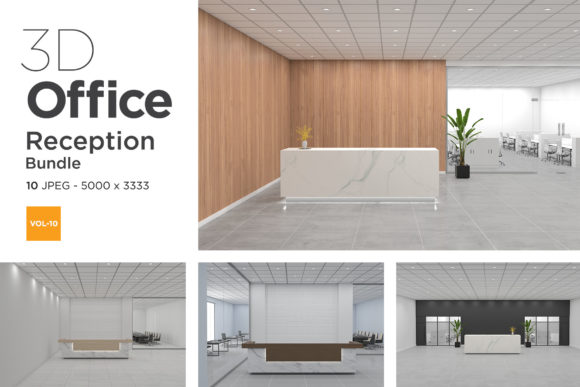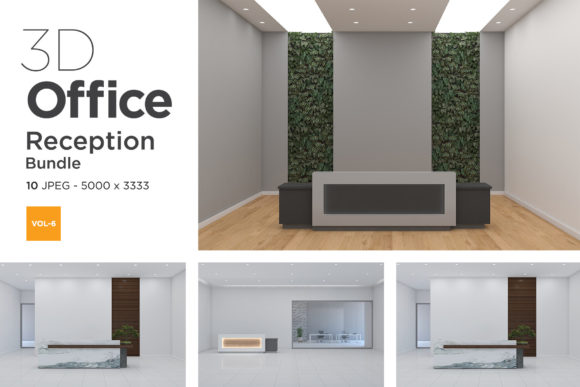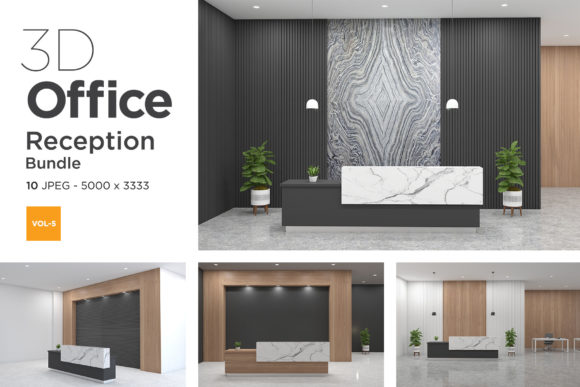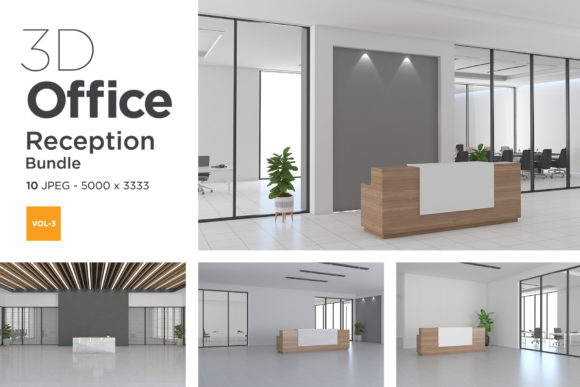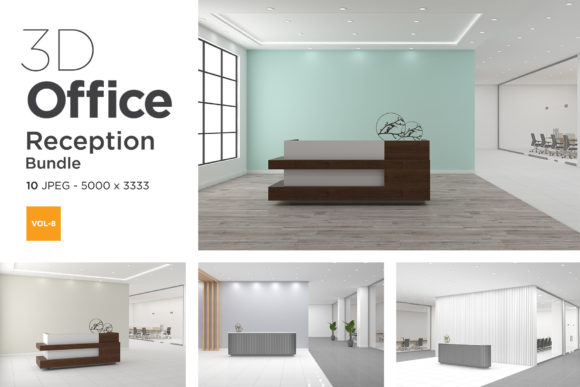
3D Office Reception Mockup Vol 8: A Practical Tool for Streamlined Client Presentations
First impressions matter, especially in commercial spaces. When you present a reception area design to a client, the difference between a flat technical drawing and a realistic 3D visualization can instantly win trust. 3D Office Reception Mockup Vol 8 is a ready-to-use set of high-resolution mockups designed to place your branding or interior concept into a believable office lobby environment. It eliminates the need to build a scene from scratch, letting you focus on composition, lighting adjustments, and client communication. For designers, marketers, and business owners who need fast yet polished visuals, this volume offers a practical shortcut without sacrificing quality.
What Sets 3D Office Reception Mockup Vol 8 Apart?
Not all mockups are created equal. Volume 8 stands out because of its attention to realistic lighting, multiple camera angles, and modular elements. The set typically includes several PSD files with smart object layers, allowing you to drop in your own graphics, adjust reflections, and fine-tune colors. The reception desk, signage, background walls, and even decorative plants are separated so you can reposition or hide them. This level of control means you are not stuck with a static image; you can adapt the same mockup to different brand styles or seasonal campaigns.
The resolution is high enough for both digital portfolios and print brochures. If you are presenting to a corporate client who expects photorealism, Volume 8 delivers the polish that shows you understand spatial design and brand placement. It also saves hours of modeling and rendering time, making it a valuable asset for freelancers juggling multiple projects or agencies that need consistent output.
Integrating the Mockup into Your Design Process
The real power of 3D Office Reception Mockup Vol 8 is how smoothly it fits into existing workflows. Whether you use it before a project to secure approval, during development to test signage placement, or after completion to create marketing materials, the mockup adapts to your stage of work.
Pre-Project Planning and Client Communication
During the pitch phase, you often need to convey a mood rather than exact details. The reception mockup helps you show where a logo will appear, how color schemes interact with wood and glass textures, and what the overall atmosphere will feel like. Instead of describing “a modern lobby with green accents,” you can place your client’s brand into the scene and let the image speak. This reduces misunderstandings and speeds up sign-offs. For example, if you are an interior designer proposing a renovation, you can use the mockup to compare two different wall colors or furniture arrangements within minutes.
Mid-Project Adjustments and Feedback
Once the project is underway, client feedback often involves tweaks to branding or layout. With Volume 8, you can update the smart object layers quickly. A change in logo size or a shift in the color of the receptionist’s desk is a matter of editing one PSD file. This agility is crucial when you are iterating based on stakeholder comments. The mockup also allows you to test different lighting conditions—daylight versus warm evening tones—to see how the reception area will photograph in real life. That kind of practical testing can inform material choices before any physical installation begins.
Post-Project Marketing and Portfolio
After a reception area is built, you need visuals for case studies, social media, and your website. The mockup gives you a clean, clutter-free way to showcase your work without having to schedule a professional photoshoot. You can insert the finished design into the same scene you used during planning, creating a before-and-after story that resonates with prospective clients. For a marketing manager, the mockup becomes a template for seasonal updates—swap in holiday branding or a new campaign graphic in minutes. This reuse extends the value of a single purchase across many projects.
Compatibility with Your Existing Toolkit
3D Office Reception Mockup Vol 8 is designed primarily for Adobe Photoshop (CS6 or later) and works with any software that supports smart objects and layered PSD files. If you use Affinity Photo or GIMP, you can still access the layers, but you may need to check compatibility for adjustment layers like gradient maps and selective color. The mockups are organized with clear naming conventions, so you can quickly locate the wall screen layer, floor reflection layer, or environment light group. This organization is especially helpful when you are working with a team: every designer can open the same file and know exactly where to paste their artwork.
For those who prefer non-destructive editing, the mockup supports layer comps in Photoshop. You can save different views (day mode, night mode, with plants, without plants) and switch between them without duplicating files. This is a workflow trick that saves time when you are preparing multiple options for a presentation. The mockup also integrates well with Adobe Bridge or Lightroom for batch processing if you need to apply the same branding across multiple camera angles.
Practical Implementation Tips for Consistent Results
To get the most out of Volume 8, follow a few straightforward practices. First, always work on a copy of the base file. Keep the original untouched so you can return to it later. Second, name your layers and groups consistently, especially if you plan to reuse the mockup for different clients. Consider creating a master template where the smart objects are blank, then duplicate and rename for each project.
When placing graphics, resolution matters. Use logos or signage files at at least 300 dpi and match the perspective of the smart object. The mockup includes guidelines on where to position your artwork; follow them to avoid distortion. If the mockup has a reflection layer, you may need to adjust its opacity or blur to match the lighting of your inserted graphic. A subtle tweak makes the difference between a composite that looks pasted in and one that feels integrated.
Color consistency is another factor. Because the mockup has its own lighting and shadows, you should sometimes adjust the saturation or brightness of your logo to blend naturally. A logo that is too bright or too warm will stand out. Use a curves adjustment layer clipped to your smart object to match the scene’s lighting. This step takes only a few seconds but greatly improves realism.
Finally, organize your output files for long-term use. Save the final render as both a PSD (for editing) and a high-quality JPEG or PNG (for sharing). Archive the source file along with notes about camera angle, lighting preset, and any modifications you made. This becomes a reference for future projects and helps you maintain a consistent style across your portfolio.
Long-Term Value and Maintenance
A mockup like 3D Office Reception Mockup Vol 8 is not a one-time asset. It can be used for years if you keep your software updated and maintain the file structure. Because the layers are editable, you can swap out outdated brand elements without starting over. Consider building a library of custom presets—different ambient colors, furniture arrangements, or floor textures—that you can load into the mockup quickly. Over time, you will develop a set of go-to looks that speed up every new project.
One often overlooked benefit is the consistency it brings to your brand identity. When every client presentation or case study uses the same well-designed reception environment, your work has a cohesive, professional appearance. Future clients subconsciously associate that clean, modern space with your level of quality. That is a subtle marketing advantage that builds trust over time.
As with any mockup, the more you use it, the more you discover its quirks and strengths. You might find that one camera angle works best for corporate clients, while another is ideal for creative agencies. Document these preferences in a simple cheat sheet. It will save you decision-making time later and ensure that even a junior team member can produce on-brand visuals with minimal guidance.
By integrating 3D Office Reception Mockup Vol 8 into your design and marketing workflow, you move from producing generic visuals to delivering tailored, immersive presentations that resonate with clients. It bridges the gap between concept and reality, making your process more efficient and your results more persuasive. Whether you are a solo freelancer or part of a large marketing team, this mockup fits naturally into the stages of planning, iteration, and promotion—helping you focus on the creative decisions that truly matter.