How 3D Office Reception Mockup Vol 5 Helps You Present Your Brand with Confidence
When you walk into a well-designed office reception, you feel it instantly. The lighting, the layout, the furniture, the branding—everything works together to signal professionalism and trust. That first impression matters enormously, whether you are showcasing a real office space or a concept for a client. 3D Office Reception Mockup Vol 5 gives you a realistic, customizable reception environment without needing to build or photograph an actual room. It is a practical tool that fits into many everyday workflows, from pitching a design idea to creating marketing visuals for a company brochure.
What 3D Office Reception Mockup Vol 5 Actually Is
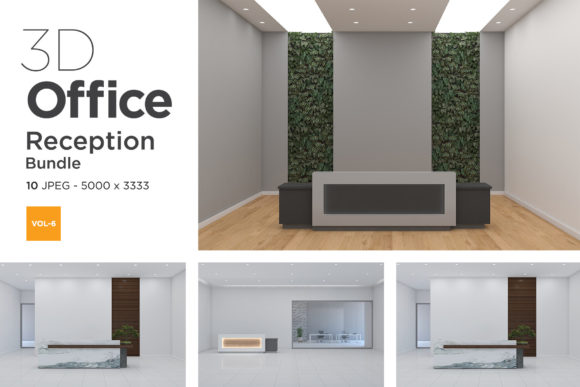
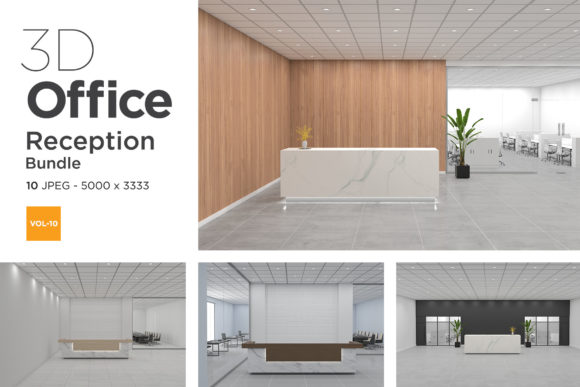
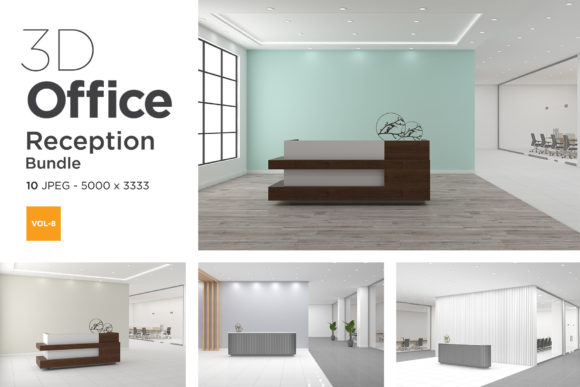
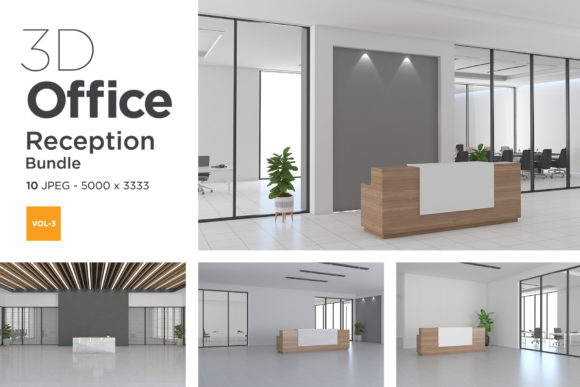
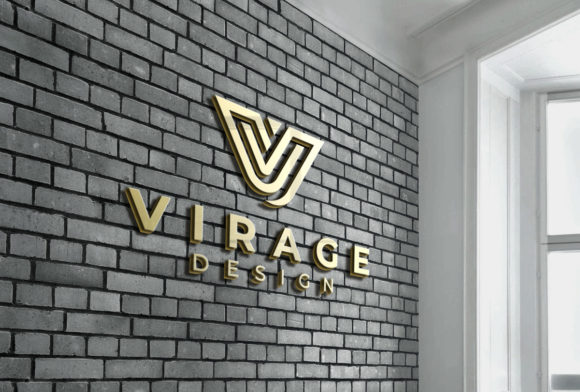
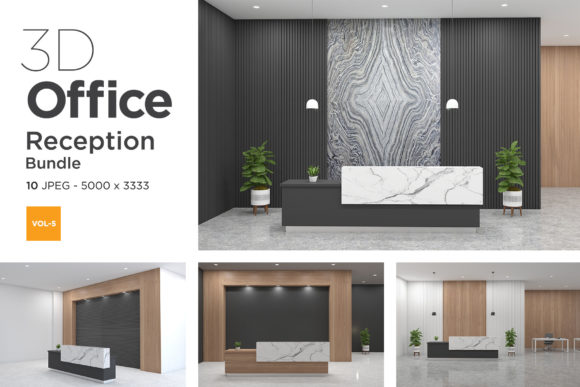
Put simply, it is a set of high-quality 3D scene files that depict a modern office reception area. You get a fully furnished space with a reception desk, seating, lighting, and enough room to insert your own branding elements like logos, wall graphics, or signage. The mockup is designed to be edited in software like Photoshop or Affinity Photo using smart object layers. That means you can drop your design into a designated layer, and it automatically adapts to the perspective, shadows, and lighting of the scene. The result looks like a photograph of your brand installed in a real reception.
This volume, the fifth in the series, focuses on a clean, contemporary aesthetic with neutral tones and flexible layout options. It works well for tech companies, creative agencies, co-working spaces, and corporate offices. The files come in multiple angles and variations, so you are not stuck with a single view.
Pitch Decks and Client Proposals
If you are an interior designer or a branding agency, you often need to show clients how their logo will look in a physical space. A flat logo on a white background doesn’t communicate scale or atmosphere. But placing that same logo on a reception wall, with ambient lighting and furniture around it, helps clients visualize the final result. 3D Office Reception Mockup Vol 5 saves you from building a 3D model from scratch or renting a studio for a photoshoot. You can generate a convincing visual in under an hour.
Marketing and Website Imagery
Entrepreneurs and small business owners who work from shared offices or virtual locations still want to project a professional image online. A realistic reception mockup can be used on a website’s “Contact” or “About” page to show visitors what to expect. It also works well for LinkedIn banners, company profiles, and digital brochures. Instead of using a generic stock photo that a thousand other companies use, you can customize the scene with your actual brand colors and logo.
Social Media Content
Marketers and content creators often need fresh visuals for Instagram, Facebook, or Pinterest. A series of reception mockup images can form part of a brand story. For example, you could post a “sneak peek” of a new office design or a “behind the scenes” look at your brand environment. Because the mockup looks like a real photo, it blends naturally with other lifestyle content on your feed.
Real Estate and Commercial Leasing
Real estate agents and property managers who lease office spaces can use the mockup to stage a reception area without physically furnishing it. When showing a vacant space, a realistic mockup overlay helps potential tenants imagine how the lobby could look with their branding. This can speed up decision-making and make the space feel more inviting.
Freelance Graphic Designers
If you create logos or brand identities for clients, you likely deliver a brand guideline document. Including a mockup image that shows the logo in a real reception setting elevates the perceived value of your work. Clients appreciate seeing how their brand translates into a physical environment. One logo placed in a reception mockup can communicate scale, professionalism, and attention to detail. You can also use the same mockup for multiple clients by swapping the branding elements, making it a reusable resource.
Startup Founders and Small Business Owners
Not every startup has a physical office. Many teams work remotely or from co-working spaces. But when you pitch to investors, a slide showing a branded reception suggests permanence and growth. Even if your actual office is a shared desk, you can use the mockup to represent your vision. It costs far less than renting a studio or building a 3D model, and it creates a polished impression without misleading anyone—it is clearly a representation, not a lie.
Bloggers and Educators
If you run a blog about interior design, workspace optimization, or branding, mockups provide high-quality visuals for your posts. You can use 3D Office Reception Mockup Vol 5 to illustrate a point about office layout, color psychology, or reception design trends. Educators teaching courses in graphic design or interior visualization can also use the mockup as a teaching tool. Students can practice placing branding elements or adjusting lighting without needing advanced 3D software skills.
Corporate Trainers and HR Teams
Believe it or not, office reception mockups can be useful for internal communications. If your company is redesigning its lobby, a mockup helps employees see the new design before construction begins. HR teams can use the image in orientation materials or company handbooks to show new hires what the office looks like.
File Compatibility and Software Skills
3D Office Reception Mockup Vol 5 typically works with Photoshop or another layered image editor that supports smart objects. If you are not comfortable with layers, masking, or basic image adjustments, there is a small learning curve. However, most mockups come with clear instructions, and many vendors provide video tutorials. If you are a beginner, expect to spend an extra thirty minutes learning how to edit the files the first time.
Realism vs. Customization
No mockup can match a photograph of your actual space if you have a unique layout. If you need a reception with a very specific floor plan, unusual lighting, or custom furniture that is not in the scene, you might need a custom 3D render. That said, for the vast majority of branding and design presentations, the generic realism of Vol 5 works perfectly. The key is to treat it as a representation of a concept, not a precise architectural drawing.
Resolution and Usage Rights
Check the file resolution before purchasing. If you need print-quality images for billboards or large banners, make sure the mockup supports high-resolution output. Also verify the license terms. Some mockups are for personal or commercial use only up to a certain number of copies, while others allow unlimited usage. If you are an agency, look for a commercial license that covers client projects.
Lighting and Atmosphere Consistency
The mockup has a specific lighting setup—warm, neutral, or cool depending on the scene. If your brand uses very vibrant colors, test how they look in the scene’s lighting before committing. Sometimes a bold red logo can look different under warm reception lights compared to a flat digital screen. A quick test edit will save you time later.
Practical Tips for Getting the Most Out of It
- Keep it simple. Do not overload the scene with too many branding elements. A logo on the wall and a small sign on the desk is usually enough. Let the environment breathe.
- Use realistic textures. If you add your own background walls or floors in post-production, match the perspective and lighting of the mockup. Mismatched elements ruin the illusion.
- Consider multiple angles. Use the different camera views included in Vol 5 to create a series of images. This allows you to show the reception from various perspectives without repeating the same shot.
- Combine with other mockups. If you are presenting a full office design, pair the reception mockup with meeting room or workspace mockups from the same series. Consistent lighting and style across all images makes the presentation cohesive.
- Add subtle details. Small touches like a magazine on the coffee table, a plant, or a visitor badge on the desk make the scene feel lived in. These details increase believability.
Why This Mockup Works for Everyday Professionals
The real value of 3D Office Reception Mockup Vol 5 is time savings. Instead of coordinating a photoshoot, building a 3D scene, or searching for stock photos that never quite fit your brand, you have a ready-made environment that you can adapt in minutes. It removes the friction between having a brand asset and showing it in context. For entrepreneurs, freelancers, and small teams who do not have a dedicated design department, that efficiency matters.
It also levels the playing field. A solo graphic designer can present a concept to a corporate client with the same visual polish as a large agency. A blogger can illustrate a post about office design with images that look professional rather than amateur. The mockup does not do the creative work for you, but it handles the environment part so you can focus on the branding itself.
In the end, the best use case is the one that fits your actual workflow. If you regularly need to show how a brand looks in a physical space, or if you create visual content for a company that wants to appear established and professional, this mockup is a straightforward tool that delivers consistent results. Just remember to check the technical details, practice a quick edit, and use it in a way that feels honest to your audience.