Halloween Editable 3D Text Effect: A Practical Guide for Designers and Content Creators
Typography is a cornerstone of visual communication, and few seasons demand as much creative flair as Halloween. Whether you are designing a social media graphic, a party flyer, or a themed website banner, the way your words look can set the entire mood. Among the many typography options available, the Halloween editable 3D text effect has emerged as a versatile and popular choice. But what exactly does that term mean, and how does it compare to other typography approaches? This guide breaks down the practical aspects, strengths, tradeoffs, and decision factors so you can choose the right tool for your next project.
What Sets the Halloween Editable 3D Text Effect Apart
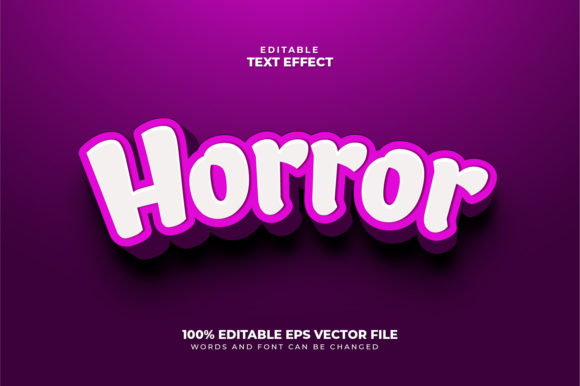
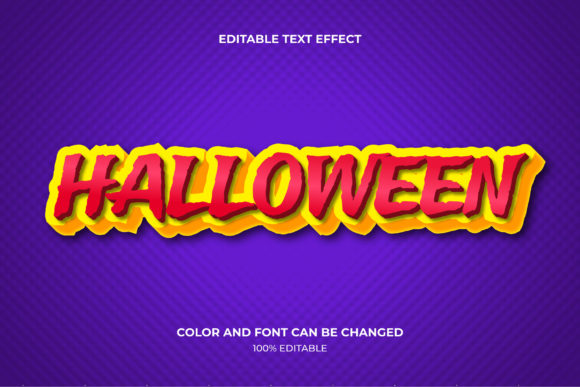
An editable 3D text effect is a digital typography style where the text appears three-dimensional—with depth, bevels, shadows, and realistic lighting—yet remains fully customizable in terms of content, colors, and often effects. The “Halloween” variation typically incorporates thematic elements such as carved pumpkin textures, dripping slime, glow-in-the-dark finishes, cobweb overlays, or eerie gradient maps. What makes this approach distinct is that the 3D appearance is not a static image. You can type your own words, adjust the size, change the palette, and sometimes even tweak the lighting direction without starting from scratch. This blend of photorealism and flexibility is rare in pre-made graphics.
Unlike a standard flat font with a decorative drop shadow, the editable 3D text effect gives each letter real volume. It simulates how light interacts with carved or molded surfaces, often creating the illusion that the text is physically embedded in a Halloween object or environment. Because the effect is built using software layers or smart objects, you can reuse the template year after year with different messages. For professionals who produce seasonal content at scale, this reusability is a major advantage over commissioning custom 3D renders for every piece of copy.
Comparing Approaches to Halloween Typography
To understand where the editable 3D text effect fits, it helps to compare it with other common typography methods for Halloween projects. Each approach has its own set of tradeoffs, and your choice should depend on your technical skills, timeline, and final output format.
Static Pre-Rendered 3D Text
Before editable templates became widespread, many designers relied on fully rendered 3D text images. A designer would model the text, apply materials and lighting, and render a final image. The result is often photorealistic and polished. However, the text is locked. Changing a single word means going back into the 3D software, re-rendering, and often matching previous settings exactly. For a one-off project, this can work well. For a series of posts or multiple event versions, it becomes labor-intensive. The Halloween editable 3D text effect solves this by keeping the 3D look while allowing text edits within a few clicks.
Flat Typography with Halloween Decoration
Many designers use flat vector lettering combined with Halloween imagery—such as placing words inside a pumpkin shape or overlaying a spiderweb pattern. This approach is lightweight, fast to load, and works across nearly all software. It is also accessible to beginners. The tradeoff is visual depth. Flat typography can feel less immersive, especially on large posters or high-resolution screens where viewers expect texture and dimension. The editable 3D text effect sits between these two extremes: it offers depth and realism without requiring full 3D modeling skills.
Custom Hand-Lettered Halloween Typography
Hand-lettered typography brings a unique, organic feel that no digital effect can perfectly replicate. Artists can incorporate Halloween motifs directly into the letterforms. However, hand lettering is time-consuming, expensive, and not easily editable. If you need to change the event date or venue, you may need to commission a new piece. The editable 3D text effect is a practical alternative when consistency and speed matter more than absolute uniqueness.
Evaluating the Strengths and Tradeoffs
No single typography solution is best for every situation. Below are the key factors to weigh when considering a Halloween editable 3D text effect for your work.
Customization vs. Complexity
The greatest strength of these effects is their balance between realism and editability. Most templates are built in Photoshop or similar layer-based software, with carefully organized layers for color adjustments, bevel settings, and lighting. If you are comfortable with layer masks and blending modes, you can transform the same base effect from a glowing neon sign to a rotting wood carving. On the other hand, if you are new to the software, the layer structure can feel overwhelming. Some templates rely on smart objects that require specific naming conventions or file formats. It pays to read the documentation or watch a quick tutorial before assuming you can customize everything intuitively.
File Size and Performance
Editable 3D text effects often involve multiple high-resolution layers, texture maps, and sometimes embedded images. This can result in large file sizes—sometimes hundreds of megabytes for a single text effect template. If you are working on an older computer or collaborating via cloud storage with limited bandwidth, this can slow down your workflow. For comparison, a flat typography file might be a few megabytes, and a pre-rendered 3D image is typically a flat PNG or JPEG under five megabytes. Consider your hardware and delivery pipeline before committing to an elaborate editable template.
Output Versatility
Because the effect remains editable, you can export the same design at various sizes and formats—social media squares, full-resolution prints, animated GIFs, or even video clips with moving shadows. A pre-rendered static image cannot be resized or reformatted without losing quality or requiring a new render. For content creators who repurpose Halloween graphics across multiple platforms, the editable 3D text effect offers strong return on investment.
Learning Curve and Software Dependency
Most editable 3D text effects require Adobe Photoshop, Affinity Photo, or a similar layer-based editor. Some newer templates also work with web-based editors like Canva or Pixlr, but these often sacrifice depth and realism. If you do not own the necessary software or are unwilling to learn the tools, a simpler approach may serve you better. Conversely, if you already use these programs daily, the incremental learning to master a 3D text effect is minimal.
When to Choose an Editable 3D Text Effect
Based on the comparisons above, certain scenarios strongly favor a Halloween editable 3D text effect. Consider using one when you need to:
- Produce multiple variations of the same Halloween message—for example, a series of social media posts counting down to Halloween night, each with a different word or number.
- Match a specific visual theme across many graphics, such as a haunted house event requiring consistent typography on flyers, tickets, and signage.
- Work without a dedicated 3D artist or without time to learn 3D modeling software from scratch. The template gives you a professional look that would otherwise require specialized skills.
- Present mockups to clients who want to see exactly how their copy will look with lighting and texture, but still need the flexibility to revise wording.
- Create merchandise prototypes like T-shirt mockups or mug designs where realistic depth helps sell the concept.
When Another Approach Might Serve You Better
There are also clear situations where the editable 3D text effect is not the best fit. You may want to consider alternatives if:
- Your output is primarily for web display where file size and load speed are critical. A lightweight flat SVG or a well-optimized PNG of 3D text could perform faster.
- You need extreme photorealism with complex reflections, subsurface scattering, or integration into a real-world photograph from a specific angle. A fully rendered 3D scene or a physical prop photograph will surpass any template.
- Your workflow uses tools that do not support layer effects—such as some pure vector apps, presentation software, or basic image editors. In those cases, pre-rendered images or flat typography are safer choices.
- You require total uniqueness and cannot use a template that may also be used by other designers. Even with extensive customization, the underlying structure of a popular template can be recognizable.
- Your project has a very tight deadline and you are unfamiliar with the template’s layer structure. Learning a new effect under pressure can lead to errors or mediocre results. A simpler, reliable approach may be wiser.
Key Factors in Your Decision
To make a confident choice, consider the following questions before you start designing:
- How many different text versions will you produce? If the answer is more than two or three, an editable effect saves time.
- What is your comfort level with layer-based editing software? If you are a beginner, look for templates labeled “beginner-friendly” and with video guides.
- Where will the final graphic appear? For high-resolution print, you want a template that supports at least 300 DPI output. For digital, a smaller file size is acceptable.
- Does the style of the effect match your overall Halloween theme? A glowing neon effect works for a modern party, but a moss-covered stone effect suits an ancient graveyard vibe. The same template may not fit every mood.
- Do you have backup options? If the editable template fails to load or behaves unexpectedly, keep a simple flat version of your text ready as a fallback.
Practical Examples in Context
Imagine you are designing for a local Halloween market that has five different sponsor logos and three different taglines depending on the medium. Using a Halloween editable 3D text effect, you can open one master file, change the text layers, adjust colors to match each sponsor’s branding, and export all versions in under an hour. Without the editable effect, you would need to recreate the 3D look five times or settle for flat text that lacks visual impact.
Now consider a photographer who needs a single, hyperrealistic title overlay for a contest-winning pumpkin carving image. The title must appear as if it is carved into a real pumpkin with natural lighting matching the photo. An editable 3D text effect—no matter how detailed—cannot re-create the exact lighting conditions and perspective of that specific photograph. In this case, hiring a 3D artist or using a photo manipulation technique would produce a superior result.
Making an Informed Choice
The Halloween editable 3D text effect is not a universal solution, but when used in the right context, it offers an exceptional balance of quality, speed, and flexibility. It empowers designers who are not specialists in 3D modeling to produce compelling, dimensional typography that resonates with the Halloween spirit. By understanding its strengths compared to flat typography, pre-rendered images, and hand-lettering, you can decide exactly when to invest in an editable template and when to choose a different path.
As with any creative tool, the best choice depends on your specific project constraints. Evaluate your editing skills, your hardware, the number of outputs you need, and the level of uniqueness required. When the conditions align, a well-crafted Halloween editable 3D text effect can save you hours and elevate your seasonal designs to a professional level. When they do not, the other options discussed here will serve you just as well—and knowing the difference is the mark of an experienced designer.